Mora read my website wrong: fix it
Correct the colours, logo, description or products by hand, or rescan your website and keep only the values that are right.
On this page
Open Brand record in Settings and change the wrong value by hand, or rescan your website and tick only the fields you want to replace. Every ad Mora makes for this workspace is made from the brand record, so fix it before you make more ads.
Before you start
- You need to be the Owner, an Admin or an Editor of the workspace. Viewers can read the brand record but not change it. See Owner, admin, editor and viewer roles.
- Check you are in the right workspace. Each brand has its own brand record (Add a workspace for each brand or client).
Open the brand record
- Open the account menu at the bottom of the sidebar and press Settings (or press Cmd+; on a Mac, Ctrl+; on Windows).
- Settings opens on Brand record. The first section is Brand kit.
Fix a value by hand
-
In Brand kit, press Edit.
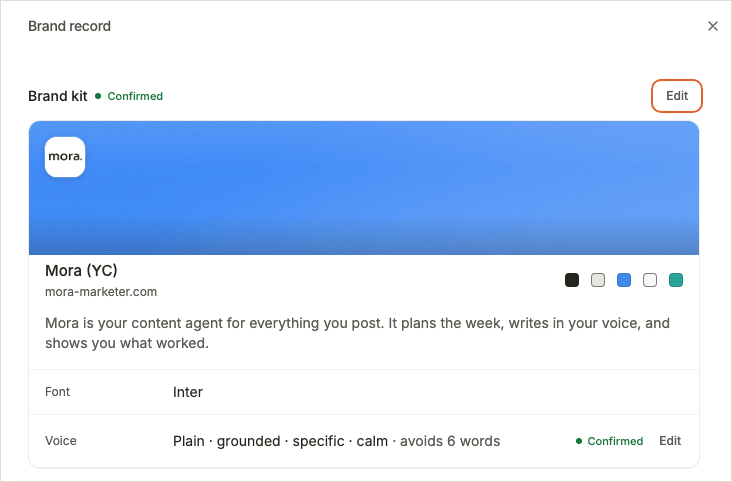
The Brand record page showing the Brand kit, with the Edit button highlighted. -
Change what is wrong: Name, Description, Who this is for, Unique selling proposition, Industry, Website, Domains you own or Products & Services. Domains you own lists your website and any other sites you run, such as a shop. Once you add one, Mora warns when an ad links anywhere else.
-
For colours or fonts, press Colours and type in the same panel. A colour or font is saved as soon as you pick it.
-
For the logo, press Replace logo (or Upload logo if there is none). PNG, JPEG, SVG, WebP or GIF, up to 10 MB.
-
Press Save changes. It stays greyed out until you change something.
Rescan your website
Use this when the site has changed, or when Mora read the wrong address. If Mora read the wrong site, correct Website by hand first and save, then rescan.
-
In Brand kit, press Edit, then Rescan at the bottom of the panel. If the kit is still empty, press Scan website on the Brand kit row instead.
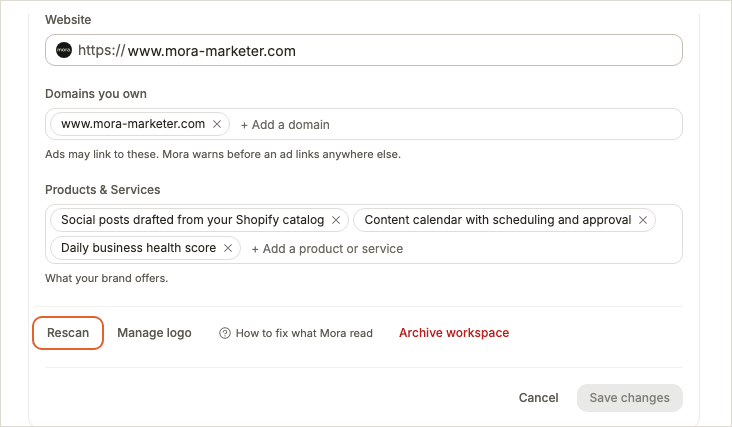
The Brand kit edit panel, with the Rescan button highlighted at the bottom. -
Check the Website URL and press Scan.
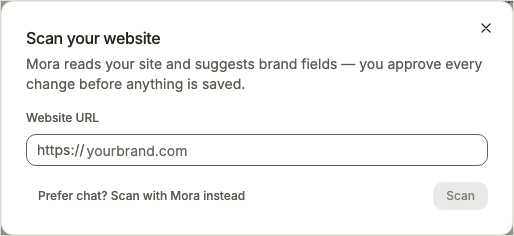
The Scan your website dialog with the Website URL box and the Scan button. -
On Review changes, each field shows what is saved now beside what Mora found. Tick the ones you want to update. Unchecked fields keep their current value. If Mora could read little from the site, it offers only the fields that are empty now.
-
Press Apply N changes (N is the number you ticked) to save them.
If the scan says Nothing new found, the site returned nothing different from what is already saved. Fix the field by hand instead.
The pictures look wrong, not the details
How ad pictures look is the Style section, below Brand kit. Press Change style and choose from Yours (styles read from your website or your own ads), Library, or Upload (3 to 12 pictures, JPEG, PNG or WebP). For photos of your own product and a list of what to avoid, see The pictures look generic or show no product.
The products are wrong
There are two places:
- Products & Services in the Brand kit is the list of what you offer. Edit it there. A service business lists its services here.
- The Products page shows products from a connected Shopify store, or the ones Mora read from your website. If the last read did not finish, press Read my website again. If it found none, press Check my website address.
A fact or offer in your ads is wrong
The brand kit describes your brand. The facts, offers and customer quotes an ad may state are kept apart, on Claims. To stop a wrong line or approve a right one, see Approve the claims your ads can make.
Draft and Confirmed
A section filled in from your website shows Draft until someone checks it. Press Confirm to mark it checked. Mora uses the values either way, so confirming changes nothing in your ads. It records that someone checked them.
Related
- The pictures look generic or show no product: when the details are right but the pictures are not.
- Approve the claims your ads can make: to control the facts and offers ads state.
- My ad says something untrue: to fix an ad that is already made.
- Make your first campaign: once the brand record is right.
- What makes people click an ad: why the page after the click has to match what the ad says.
Still stuck? Contact a person at Mora.